
How to report your worked hours in TimeWave
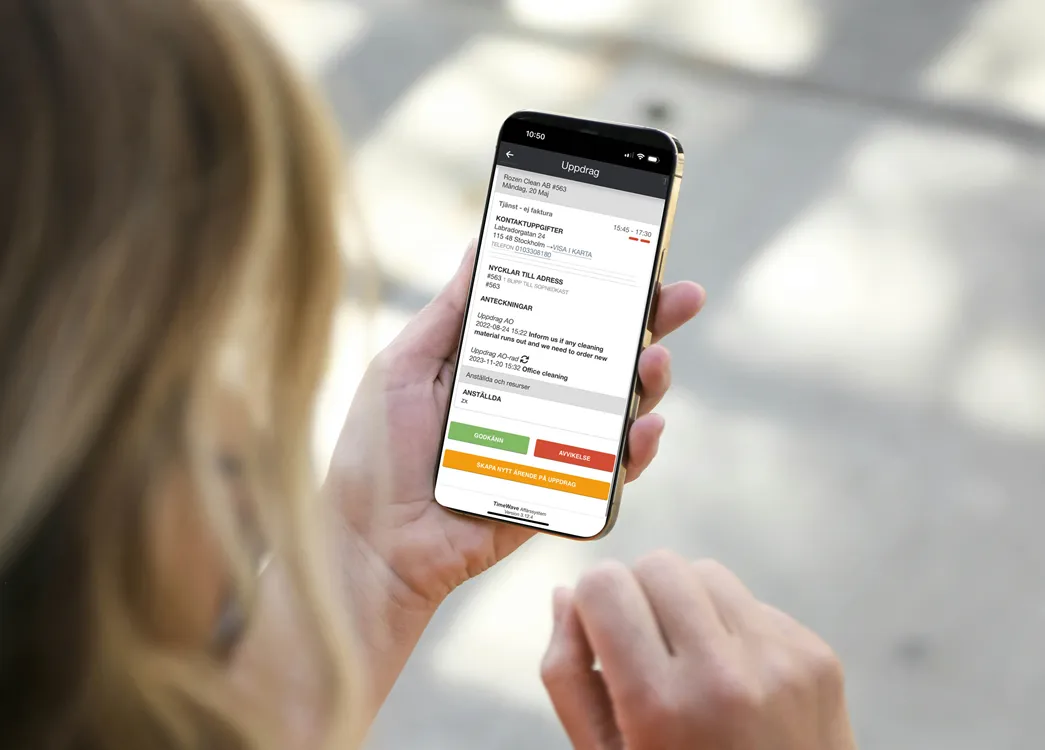
When you have been with the customer exactly the time that is in the schedule, you press CONFIRM and accept the time.
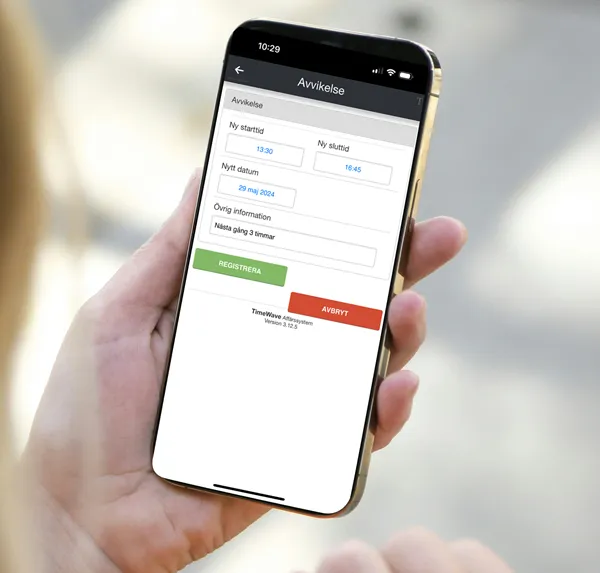
If you have worked at the customer for a different amount of time than what's in the schedule, click on DEVIATION.
- Change the time when you arrived and when you left.
- Always write the reason in the field "other information" - all deviations must have a reason, e.g., if you were late to the customer or if the customer asked you to do something extra, so that we in the office know the reason for the changed time.
- Press YES
When you have worked with the customer for exactly the time specified in the schedule, click on REGISTER and approve the time.
If you have worked at the customer for a different amount of time than what's in the schedule, click on DEVIATION.
You do not need to provide a reason for deep or move-out cleanings, as we continue cleaning these jobs until they are completed.
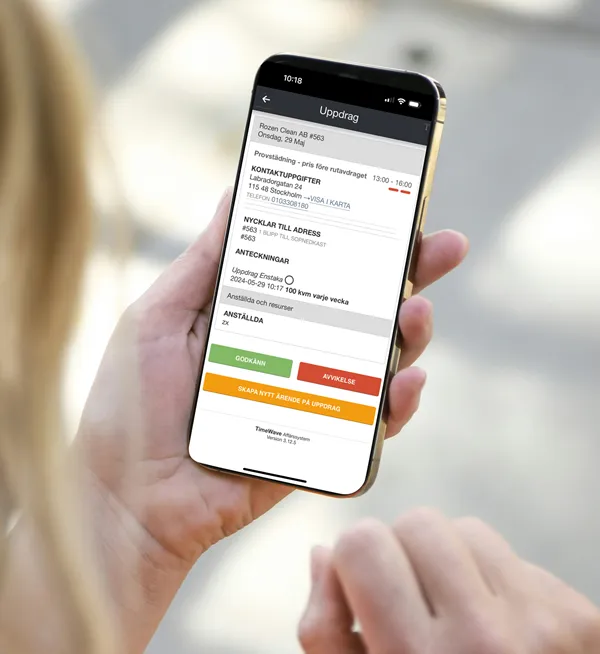
Report your time after trial cleaning (provstädning)
- Click on DEVIATION. Adjust the time if you worked at the customer for a different amount of time. If you need more time than scheduled, this is fine for the trial cleaning. It's normal for the trial cleaning to take about an hour longer, or even a bit more, than the regular cleaning will. Stay as long as you need to feel satisfied with the work, and report the hours you've actually worked with the customer. Follow the instructions above.
- IMPORTANT! Always enter in the "additional information" field how many hours you will need for the next regular home cleaning with this customer.
- Then click REGISTER